Direct entry
Authorized, attributable entry where enabled.
Design pattern · availability to confirm
Capture time and attendance from approved sources with the context and provenance needed for responsible review.
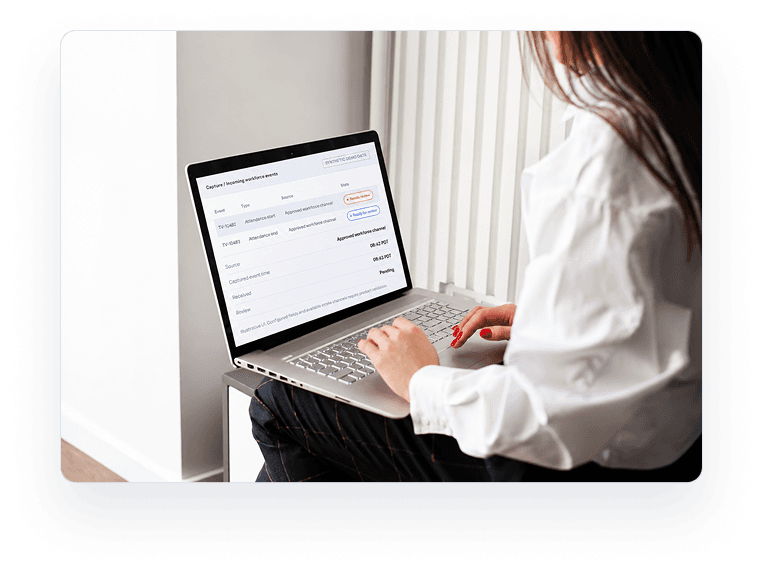
When time and attendance arrive through different channels, reviewers need to know where an event came from, when it occurred and what context followed it.
See how Capture works →Capture is designed around explicitly approved time and attendance inputs. Organizations configure which sources are eligible for their operating model.
Authorized, attributable entry where enabled.
Design pattern · availability to confirm
Batch data from an authorized source, subject to validation.
Design pattern · availability to confirmEvent ingestion through an integration permitted for the deployment.
Design pattern · availability to confirmPlanned work association when an approved schedule is available.
Design pattern · availability to confirmRole-controlled adjustment or submission where enabled.
Design pattern · availability to confirmCapture creates an input record. It does not approve time. Approval belongs to Govern.
A time or attendance event arrives with a declared source.
Showing 4 of 24 events (synthetic)
| Event ID | Type | Event time | Source | Readiness | Received |
|---|---|---|---|---|---|
| TV-10482 | Attendance start | 08:42 PDT | Approved channel | Needs review | 08:43 |
| TV-10483 | Attendance end | 17:05 PDT | Approved channel | Ready for review | 17:06 |
| TV-10484 | Attendance start | 08:50 PDT | Manager-assisted | Possible duplicate | 08:51 |
| TV-10485 | Attendance start | Not provided | Structured import | Missing context | 09:02 |
No event in this view is labeled Approved. Approval belongs to Govern.

Plan owns the expected schedule. Capture keeps the recorded input and its source. A planned value is never filled in for a missing event.
08:30 PDT
Illustrative schedule context.
08:42 PDT
Illustrative approved-channel input.
Two incoming events share key attributes. A reviewer decides.
The event is stored with an explicit gap indicator.
An authorized user gives a reason and a proposed value.
An accepted correction creates a new revision. The prior value stays reviewable. A correction after approval or export needs heightened review and never updates downstream data silently.
Recorded 08:42
Reason recorded
Awaiting designated reviewer
Approved collection pathways should have an owner, a purpose, an allowed data scope and a clear state.
Discuss your source architectureAvailability and configuration depend on the contracted deployment and implementation review.
Simulated read-only registry (demo)
| Source | Type | Owner role | Approval status | Last receipt |
|---|---|---|---|---|
| Workforce channel A | Configured channel | Integration admin | Proposed, review required | 08:43 PDT |
Policy summary: allowed event types, role-based access, source origin, rejection reasons and credential rotation (proposed).
Capture collects declared time and attendance inputs. It does not observe screens, keystrokes, devices or private digital activity.
Privacy obligations, notices and consent differ by organization and deployment. Your organization determines its applicable obligations.

Approved event data enters with origin and time context.
Expected work and schedules can inform an authorized comparison.
History explains changes, source and decisions.
Policy, human review and approval determine what changes state.
Analysis uses appropriately governed data.
Approved outputs go to permitted downstream enterprise systems.
One record, connected responsibilities, not six disconnected databases.
Explore the Platform overviewSee where attendance inputs entered and what requires manager review.
Two events need manager review, one of them a possible duplicate.
Captured events can become inputs to review and approval workflows. Approved records can then be prepared for configured payroll, HR or finance destinations.
Capture does not calculate pay or override payroll controls. Transport is described as APIs, webhooks, exports and approved connectors. Availability follows the contracted deployment.


Identify input channels, sites, teams and event definitions.
Topics: current time sources, workforce jurisdictions, exception ownership

Confirm approver roles, correction paths, privacy notices and time-zone conventions.
Topics: security review, expected downstream destinations

Validate integrations, implementation scope and deployment controls with TEMVERIS.
Topics: supported channels, deployment controls
Specific delivery scope, supported channels, availability and legal responsibilities depend on the deployment.
For deployment-specific channels and policy questions, request a demo.
Book a demo →Capture is the TEMVERIS platform capability for recording workforce time and attendance from approved sources with context and provenance. It starts a governed record that can later be reviewed, approved and used in connected workflows.
See how TEMVERIS can capture approved workforce-time inputs with the context needed for review, policy governance and accountable downstream decisions.